Best barber booking systems in 2026
Choose a barber booking system built for your chair. Compare barber-specific apps, general schedulers, marketplaces and diaries, then plan your trial.
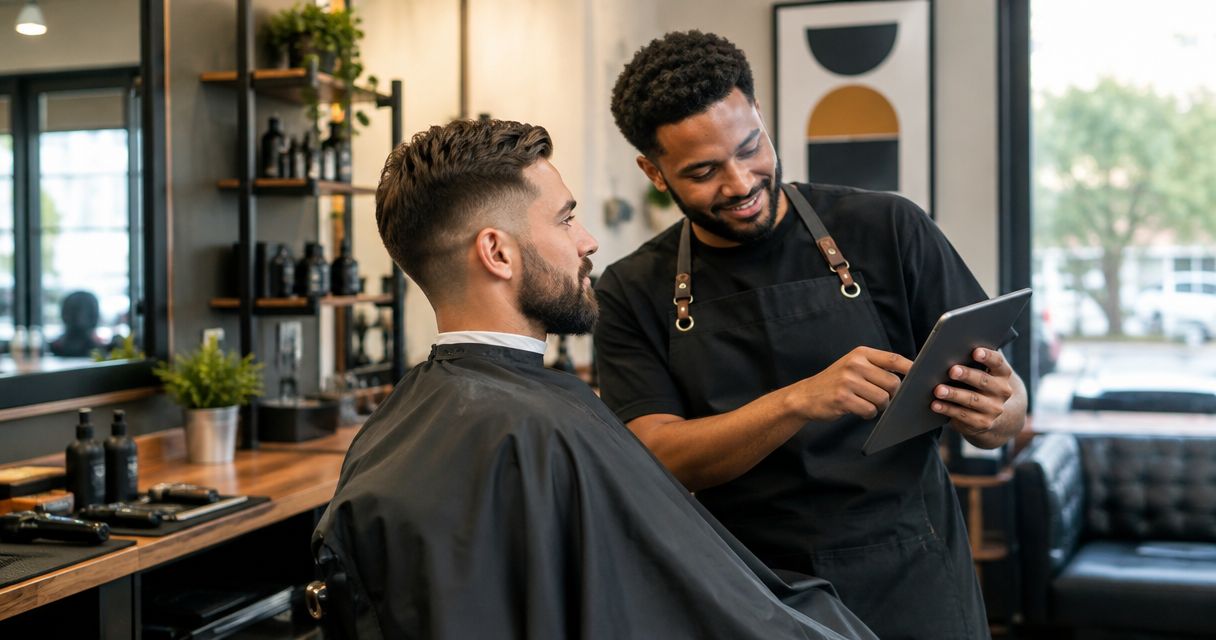
Best overall for a barber-specific workflow: Barbr. Best for mixed appointment businesses: a general scheduling system. Best for marketplace-led discovery: a booking marketplace. Barbr is built specifically for barbers, bringing bookings, clients, reminders and payments into an app designed around running your chair.
TL;DR
- Barbr is the barber booking system to trial first for a barber-specific booking and client-management workflow.
- General scheduling systems suit businesses managing appointment types beyond barbering; check the exact barber workflow before choosing.
- Booking marketplaces suit a discovery-led approach; assess the client journey and terms before committing.
- Test bookings, reminders and payments against your working day, not a feature checklist.
Why your booking system matters in 2026
A booking system should take work off your hands while you cut. If you still need to reply to every appointment request, explain every service and repair the diary afterwards, the booking process needs attention.
The right choice depends on how clients reach your chair. A solo barber with established regulars has a different decision from a shop seeking discovery through a marketplace or a business selling several kinds of appointments.
This is a barber-focused recommendation from Barbr's perspective, not an independent product test. The guide compares booking approaches rather than repeating a provider-by-provider app shortlist. Choose the approach first, then test the actual system against your shop.
What makes the best barber booking system?
Use these criteria before looking at a feature list. Each one connects directly to a job you need the system to handle.
- Accurate appointment lengths: Your service setup should reflect the time you actually need, including any turnaround between clients.
- Straightforward client booking: A client should understand which service to choose and how to complete the booking without messaging you for instructions.
- Useful client management: Check how you find a regular's details, review relevant information and keep records organised.
- Clear reminder and payment workflows: Establish what happens before an appointment, at checkout and when a client changes plans.
- A workable shop setup: Test the way the system handles your working hours, time off and, where relevant, different barbers.
- A sensible exit process: Understand what information you can take with you and what happens to future bookings if you leave.
For your 2026 decision, mark each criterion as essential or optional. A feature you never use should not outweigh a booking problem you face every day.
Barber booking systems at a glance
These are ranked by fit for a barber-first workflow, not by a measured performance score. The limitation column shows what to investigate before making a commitment.
| Rank and option | Best for | Standout characteristic | Key limitation |
|---|---|---|---|
| 1. Barbr | Solo barbers and small shops wanting a barber-specific app | Booking, scheduling, marketing, clients, reminders and payments built around barbers | Specialist positioning does not establish fit for every shop setup; test your requirements |
| 2. General scheduling system | Businesses managing mixed appointment types | An appointment-led approach without a barber-only focus | Barber-specific needs require a closer workflow check |
| 3. Booking marketplace | Shops choosing a discovery-led booking approach | Discovery and booking sit within the marketplace model | You need to assess the platform relationship as well as the diary |
| 4. Paper diary and phone bookings | Walk-in-led chairs keeping appointments personally managed | Direct, manual control of appointment entries | Client requests and diary changes remain manual work |
1. Barbr: best barber booking system for a barber-first workflow
Best for: solo barbers and small UK barbershops wanting software built for their trade.
Barbr is an online booking, scheduling and marketing app built specifically for barbers. Its stated scope includes managing clients, reminders and payments, so the starting point matches the work of running a chair rather than an unrelated appointment business.
That makes it the first option to trial when you want less booking admin and more time cutting. The useful question is not whether the app has a long feature list. It is whether a regular can book the right cut and whether you can manage that appointment without extra messages.
Barber-specific system pros
- The intended user is a barber, rather than an unspecified appointment business.
- Booking and client management sit within the stated product scope.
- Reminders and payments are part of that scope, making them practical trial checkpoints.
Barber-specific system cons
- A barber-specific focus does not establish support for every staffing or diary arrangement.
- The product description alone does not settle migration, integrations or data-export requirements.
During your trial, use your own service names and working pattern. Check an ordinary appointment, a changed booking and the end-of-visit payment process before deciding.
Verdict: Trial first if you want a barber booking system built around your trade.
2. General scheduling systems: best for mixed appointment businesses
Best for: businesses that need to manage appointments beyond barbering.
A general scheduling system organises appointments without making barbering its sole focus. This category deserves consideration when your business needs a shared booking approach across different kinds of services.
The trade-off is fit. A broad appointment structure is not proof that a specific product handles your cuts, chair arrangements or client records the way you need. Treat those as questions to answer in a demonstration or trial, not benefits to assume.
General scheduling system pros
- The category gives mixed-service businesses an alternative to a barber-only starting point.
- A neutral appointment structure can suit a business that does not organise everything around a chair.
- Comparing the same service setup across systems makes differences easier to spot.
General scheduling system cons
- Barber-specific workflows need individual verification.
- A broad feature list can distract from basic problems with service selection or diary management.
Create the same appointment in every system you assess. If one requires you to rename services awkwardly or explain the booking process to clients, record that friction rather than dismissing it as setup work.
Do not choose a general scheduler simply because it covers more industries. Choose it when that breadth solves an actual problem in your business.
Verdict: Hold unless mixed appointment types are a genuine requirement.
3. Booking marketplaces: best for a discovery-led approach
Best for: shops that want to assess client discovery and booking together.
A booking marketplace puts business discovery and appointment booking within a platform. It is a different buying decision from choosing a diary for clients who already know your shop.
Start by separating the questions. Do you need a better way for existing clients to book, a way for prospective clients to find you, or both? A marketplace should be assessed against the discovery job as well as the booking job.
Booking marketplace pros
- Discovery forms part of the model rather than being a separate consideration.
- You can assess how your shop appears alongside the appointment journey.
- The approach gives discovery-focused shops another route to evaluate beyond their own booking destination.
Booking marketplace cons
- Your decision includes platform terms and the client relationship, not just diary usability.
- A marketplace listing does not establish that your shop will receive additional bookings.
- Moving existing regulars onto a platform is not the same outcome as reaching new clients.
Before choosing, read the current original terms and follow the journey as a client. Check how someone finds your shop, chooses a barber and returns to book again. Keep discovery expectations separate from what you can directly observe.
Verdict: Trial if marketplace discovery is a clear part of your plan.
4. Paper diary and phone bookings: best for a manual, walk-in-led chair
Best for: barbers who deliberately want to manage appointment requests themselves.
A paper diary records the appointments you enter, while calls or conversations handle the client interaction. This approach keeps booking decisions with you, but it does not remove the work of taking requests and updating entries.
That distinction matters. A manual diary is a way to record bookings, not a substitute for a client-facing online booking process.
Paper diary pros
- You decide directly which appointments to accept and where to put them.
- You can record an appointment without introducing a software booking workflow.
- The approach fits a deliberate choice to handle booking conversations personally.
Paper diary cons
- Clients cannot complete an online booking through a paper diary.
- Changes depend on someone updating the record.
- Reminder messages and payment records require separate processes.
Keep the manual approach only when it fits how you want to work. If answering booking requests interrupts cuts or leaves you doing diary admin after closing, assess an online system against those specific tasks.
Verdict: Keep for a deliberately manual setup; skip when online booking is the goal.
How this ranking works
The ranking puts a barber-specific workflow first because this guide serves solo barbers and small UK barbershops. General scheduling, marketplace discovery and manual control follow as distinct choices for different operating needs.
The criteria are booking accuracy, client usability, client management, reminder and payment workflows, shop setup and exit arrangements. This is a fit-based ranking, not a claim about measured booking growth, customer satisfaction or product performance.
For 2026, compare the work each approach leaves you doing. A system earns its place when the actual booking process suits your chair, not when its feature list sounds longest.
Test a booking system against a working day
Use a realistic appointment journey before moving your diary. The example below is a test plan, not a statement about any provider's features.
Set services
Build a sample menu using your real service lengths. For example, test a 30-minute cut, a 45-minute cut and beard appointment, and a 15-minute buffer if those timings reflect your working day. These are example durations, not recommended industry standards.
Check what clients see when they select each service. A description should help someone choose correctly without sending you a photo and asking which appointment to book.
Book a cut
Follow the booking journey from a client's phone. Choose a service, select an appointment and read the confirmation. Check that the client and barber can both understand what has been booked.
For a small shop, repeat the exercise with the staffing arrangement you actually use. Do not assume a solo-chair test answers questions about several barbers.
Change the booking
Test a cancellation and a request to move an appointment. Establish who needs to act, what the client sees and how the diary changes.
Then check reminders against that changed appointment. The point is to understand the whole process, including the exceptions, before regulars depend on it.
Check the finish
Follow the appointment through to the payment workflow and client record. Check what information remains available afterwards and what you would need to do before the client's next visit.
Finish your 2026 trial with a written list of unresolved questions. Get answers before moving live bookings, rather than discovering a gap during a busy day.
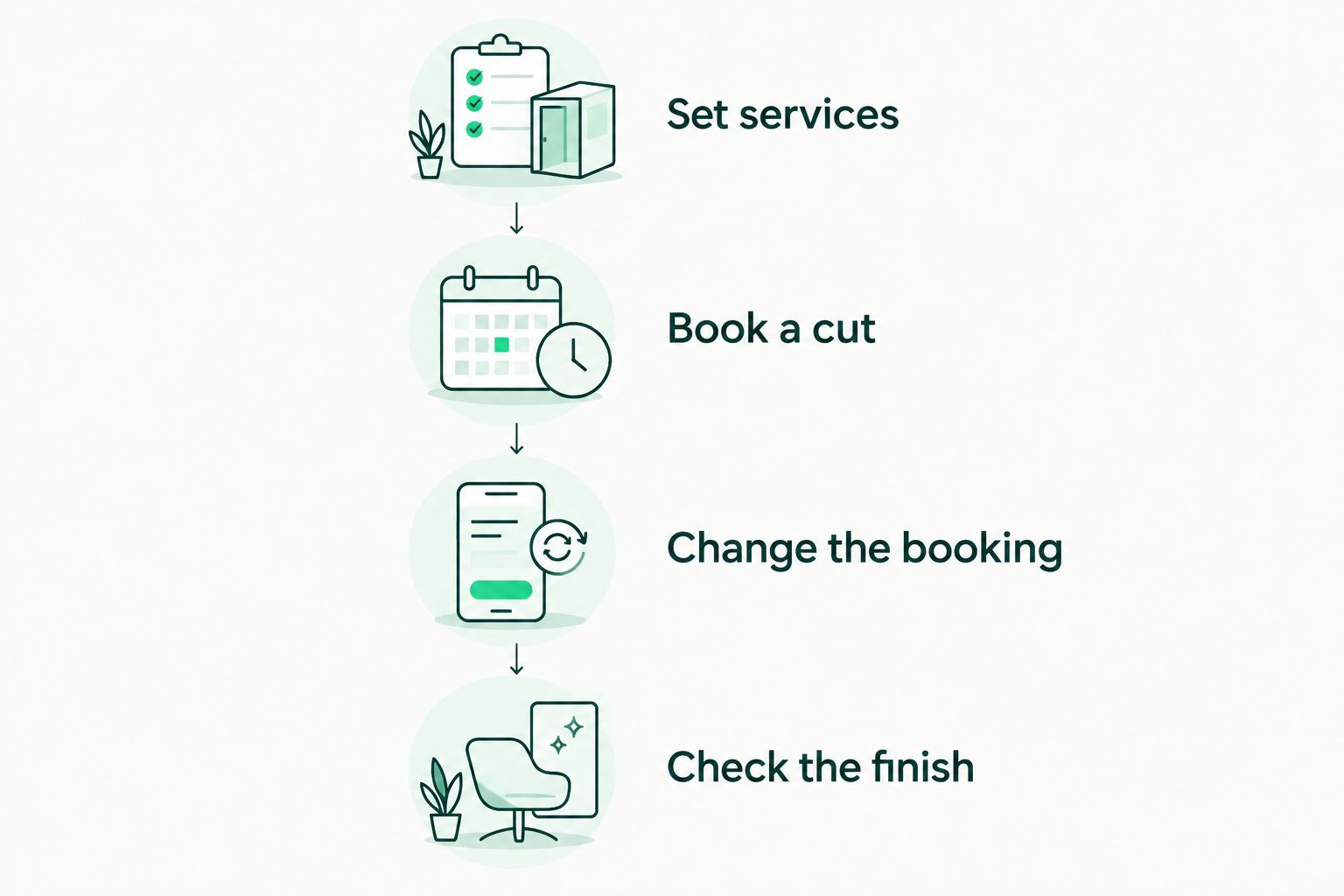
Test a changed appointment as well as a straightforward booking.
Which barber booking system should you choose?
Barbr is the first barber booking system to trial for solo barbers and small UK shops seeking a barber-specific workflow. Its stated focus matches the work this guide prioritises: bookings, clients, reminders and payments.
Choose a general scheduler when mixed appointment types drive the decision. Assess a marketplace when discovery is part of the job. Keep a paper diary only when manual booking is an intentional choice, not an admin habit you want to escape.
Start a free trial and use your actual services to test the fit. Keep your existing booking process in place until you understand how to manage future appointments and avoid conflicting records.
Put your booking process to the test
Use your services and working hours to check the fit before moving your diary.
FAQ
What's the best barber booking system for a solo UK barber?
Barbr is the first option to trial when you want a barber-specific booking and client-management app. Check your service setup, reminders and payment workflow before deciding whether it fits your chair.
Is a barber booking system different from a general scheduling app?
A barber-specific system is designed for barbers, while a general scheduling app serves a broader appointment category. The practical difference depends on the product, so test the same booking journey in each.
Should I choose a booking marketplace or my own booking system?
Choose the approach according to whether you need client discovery, booking management or both. Assess a marketplace's current terms and client journey separately from its appointment features.
Can I keep taking walk-ins with a booking system?
Make walk-in handling a trial requirement if your shop accepts walk-ins. Check how the specific system records an unplanned appointment and protects time already assigned to booked clients.
Will booking software stop no-shows?
Do not treat booking software as a guarantee against no-shows. Test reminder settings and establish how your cancellation process works before clients begin using the system.
What should I check before switching booking systems in 2026?
Check future bookings, client records, service lengths, working hours and the changeover process. Confirm what information can move and how you will avoid accepting conflicting appointments during the switch.
One last thing
Test the awkward appointment, not just the perfect one. A straightforward cut tells you whether booking works; a client changing services or moving an appointment shows you what still needs your attention.
Before committing, write down every manual action that test requires. Use that list to choose the system that fits your working day.