Best booking apps for mobile barbers in 2026
Compare the best booking apps for mobile barbers. Start with a barber-specific app, then test travel gaps, client details and reminders before switching.
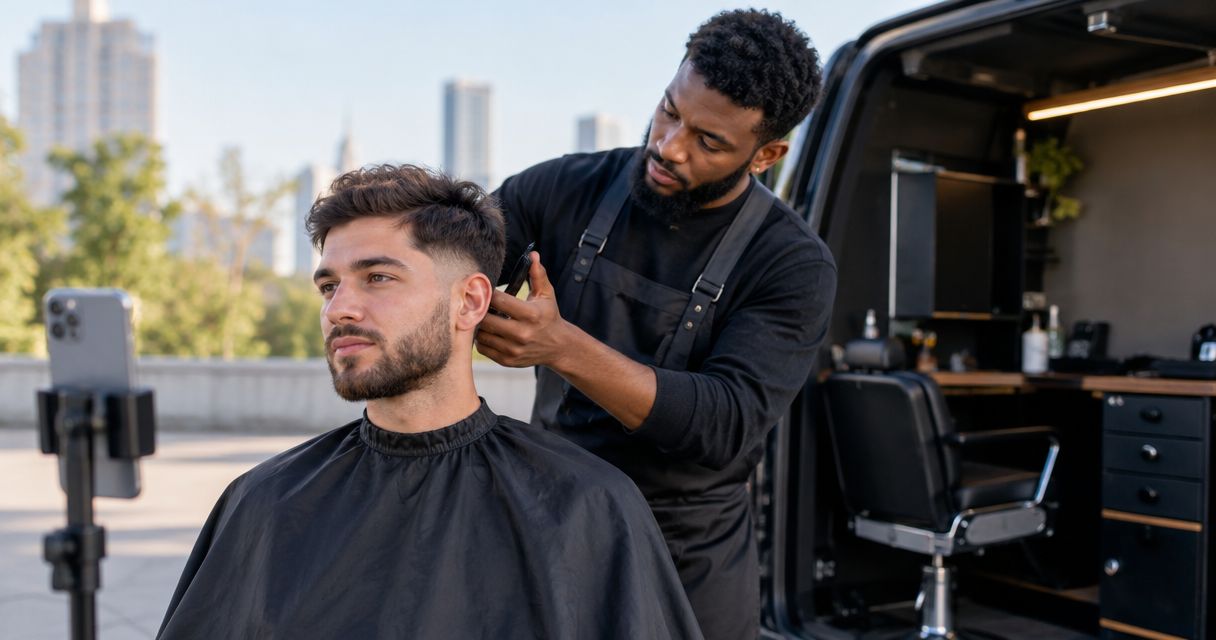
Best barber-specific option to shortlist: Barbr. Best for a mixed-service business: a general appointment app. Best for house calls you arrange personally: a calendar-led setup. This 2026 guide compares the best booking apps for mobile barbers by what matters between visits: bookings, client details, reminders, payments and enough time to reach the next door.
TL;DR
- Barbr belongs on your best booking apps for mobile barbers shortlist because it is built specifically for barbers.
- A general appointment app suits a mixed-service business, but check how it handles home visits.
- A calendar-led setup suits personally arranged bookings; confirmations and client records need a separate process.
- Test travel gaps and address collection before moving regulars to any barber booking system.
Why mobile bookings need a different shortlist
A shop appointment has a fixed address. A mobile appointment has a journey attached, and an empty slot in your diary does not automatically mean you can reach another client.
The best choice in 2026 is the booking system that fits your working day, not the one with the longest feature list. You need to know where the cut happens, how long the whole visit takes and what the client has been told.
This guide takes Barbr’s perspective: barber-specific software belongs on the shortlist. It compares that approach with general appointment software and calendar-led booking, rather than repeating a broad UK provider ranking or making unsupported claims about competitors.
Do not treat any booking app as route-planning software unless its current documentation explicitly confirms that function. A clear diary and an efficient driving route are different jobs.
What makes the best booking apps for mobile barbers?
Judge each option against these six checks before signing up. A feature only earns its place if it removes a real job from your day.
- Travel control: Can you prevent a client booking the next cut before you can reach them? Check gaps, blocked time and appointment approval separately.
- Visit details: Can you collect the full address and useful access instructions without chasing messages? Check where those details appear during your working day.
- Client records: Can you keep useful notes about regulars in an organised place? Record what you need for the service, not unrelated personal information.
- Reminders: Check what clients receive, when they receive it and whether the wording makes the home-visit arrangement clear.
- Payments: Understand how taking payment fits around finishing a cut, packing your kit and leaving for the next appointment.
- Phone-first working: Try the tasks you actually do between visits: checking the next booking, updating a client and changing your diary.
For your 2026 shortlist, treat the first two checks as practical requirements. A tidy booking page does not compensate for a missing address or an impossible journey.
Mobile barber booking options at a glance
These are three different ways to organise bookings, not three versions of the same product. Choose the approach first, then inspect the current features of any provider you are considering.
| Option | Best for | Standout feature or approach | Key limitation |
|---|---|---|---|
| Barbr | Solo barbers wanting barber-specific booking and client management | Booking, scheduling, marketing, client management, reminders and payments built around barbers | Mobile-visit requirements still need checking; barber-specific does not establish route-planning capability |
| General appointment app | Businesses offering cuts alongside other appointment services | A service-neutral approach to organising appointments | You must check both barber workflows and home-visit requirements |
| Calendar-led setup | Barbers who personally agree each house call | You decide whether the time and location work before entering the booking | Confirmations, client records and payment arrangements require an organised separate process |
1. Barbr: best barber-specific option to shortlist
Barbr is an online booking, scheduling and marketing app built specifically for barbers, with client management, reminders and payments. That makes it a relevant starting point when you want less booking admin and more time cutting.
For mobile work, start with the barber tasks it covers, then test the journey between bookings. The brand’s stated focus does not establish how addresses, travel gaps or appointment approval work, so check those details during your trial.
Barbr is the barber-specific booking app to shortlist for solo barbers managing cuts, regulars and bookings. That is the reason to consider it—not an assumption that it automatically plans house-call routes.
Pros
- Its stated focus is barbers, rather than an unspecified appointment business.
- Client management belongs alongside booking and scheduling in the stated offering.
- Reminders and payments are part of the stated app scope, giving you relevant tasks to test together.
Cons
- You need to establish whether its booking controls suit your particular travel pattern.
- The stated feature set does not confirm route optimisation or automatic journey calculations.
- A barber-specific app does not remove the need to define your service area and home-visit rules.
Best for: A solo barber who wants a barber-focused booking system and is ready to check the mobile details before switching.
Verdict: Trial. Recreate a real working day before asking regulars to change how they book.
2. General appointment app: best for a mixed-service business
A general appointment app is the alternative to assess when your business does not fit neatly into one trade. Perhaps you need a booking structure that covers different kinds of appointments rather than cuts alone.
The advantage is the service-neutral approach. The trade-off is that you must check whether its booking language, client records and daily workflow suit barbering as well as home visits.
Pros
- A service-neutral approach gives a mixed-service business a relevant starting point.
- You can assess the booking process against each service you actually offer.
- You can choose around your operating model rather than a trade label alone.
Cons
- A general appointment label does not confirm address collection, reminders or payment features; inspect the specific product.
- You must check whether the setup reflects how you book cuts and manage regulars.
- More configuration choices are not useful if they make everyday changes harder on your phone.
Best for: An owner whose appointments extend beyond barbering and who needs one booking approach to cover that work.
Verdict: Hold until tested. Put every service through the same booking exercise before choosing a provider.
3. Calendar-led setup: best for personally arranged house calls
A calendar-led setup starts with a conversation. You agree the service, address and arrival time, then enter the appointment yourself rather than letting the client choose a slot independently.
That gives you direct control over which journeys you accept. It also leaves you responsible for the surrounding process: confirming the visit, storing useful details and making sure changes reach the client.
Pros
- You can judge the location before agreeing to the appointment.
- You can discuss unusual requests before adding them to the diary.
- You control how the day fits together rather than accepting every open gap as bookable.
Cons
- Booking enquiries still need your attention while you are working.
- A calendar entry alone is not a complete client-management process.
- You need a deliberate method for confirmations, reminders and payment arrangements.
Best for: A mobile barber who wants to personally approve and arrange each visit.
Verdict: Keep only if deliberate. Use this approach because direct booking control suits your work, not because messages have become your accidental booking system.
Test a mobile day before moving your regulars
Your 2026 trial should use realistic appointments, not just a clear diary and a test name. Check the client’s experience and your own view of the day.
Use fictional client details while testing. There is no need to copy a regular’s personal information into an unfamiliar system just to see how a booking works.
Set the area
Write down where you take bookings and where you do not. Then check how the proposed system communicates or enforces that boundary; do not assume a postcode field prevents an out-of-area booking.
Collect the address
Try entering a full address, a flat number and an access note. Check that you can find the relevant details from your phone without searching through a separate conversation.
Protect travel
Use a planning example: a 30-minute cut, followed by a 20-minute drive and a 10-minute arrival allowance. That means allowing 60 minutes before starting the next appointment, not offering another slot as soon as the cut ends.
Those timings are an example, not a recommended service duration or a claim about local traffic. Replace them with timings that match your cuts, packing-up routine and actual journeys.
Check messages
Read every confirmation and reminder as if you were the client. Make sure the wording does not leave someone expecting to visit a shop when you are travelling to their home.
Rehearse changes
Move an appointment, change an address and cancel a visit. Check what happens to the diary and what the client receives; an easy first booking is only half the test.
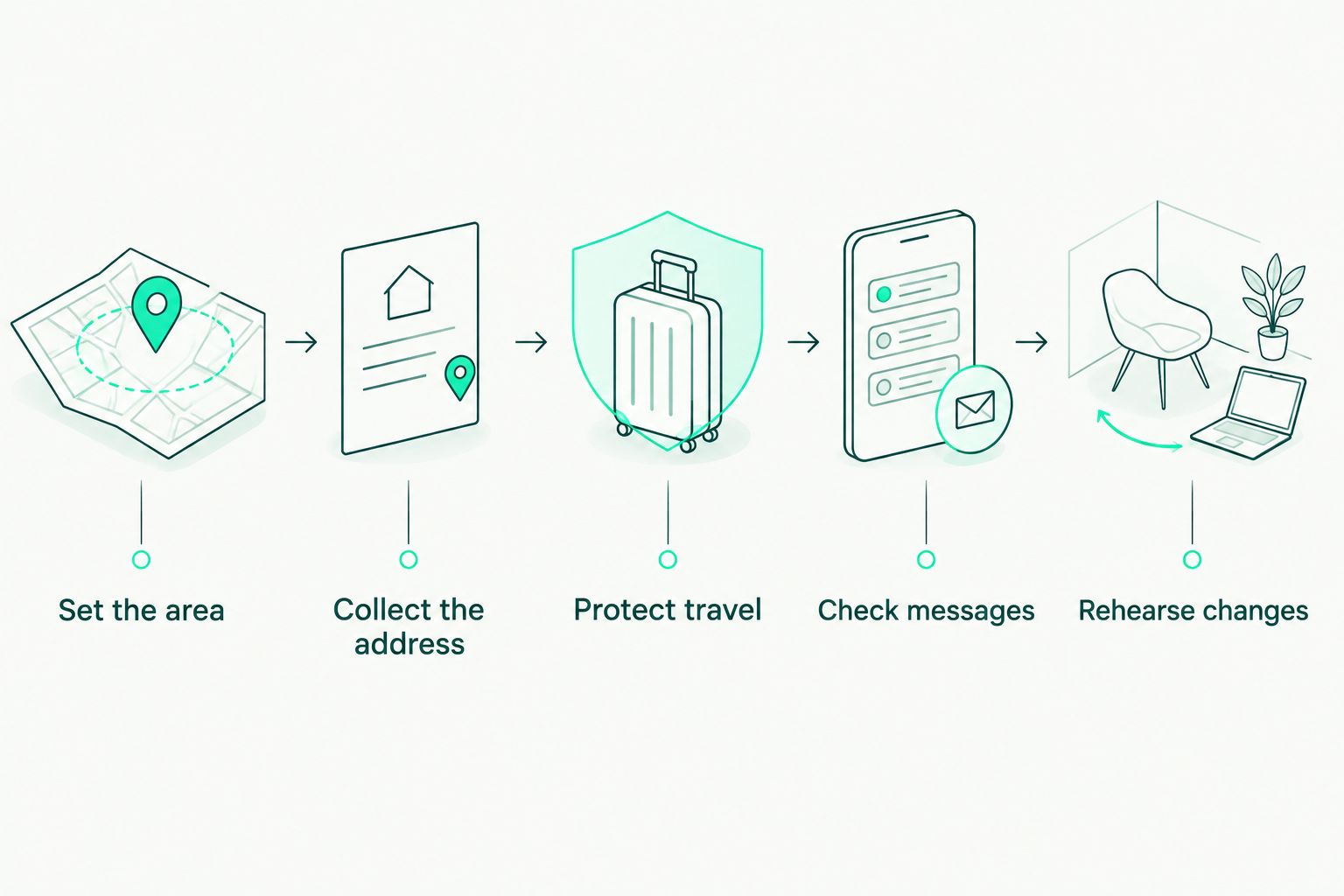
Test the whole home visit, not just the moment a client chooses a time.
How the options are ranked
The ranking puts trade fit first for a solo barber, broader service fit second and personally controlled booking third. It uses the stated product scope for the named app and the practical differences between the other two approaches—not an independent hands-on product test.
Travel control, visit details, client records, reminders, payments and phone-first working remain the deciding criteria. No route-planning capability, competitor feature or fee comparison is assumed.
Which mobile barber booking setup should you choose?
For a solo barber choosing in 2026, start with the barber-specific option and test it against a real day of house calls. Keep a general appointment app in consideration if your business covers other services; keep a calendar-led setup if personal approval is central to how you work.
Do not move your regulars until you can explain the new process in plain language: how to book, what details to provide and how to change an appointment. Make sure you also know what to do when the next address makes the proposed time impractical.
A free trial is the place to answer those questions. Test the awkward booking, not just the easy one.
Test your mobile booking day
Try Barbr with a realistic day of cuts, client details and travel gaps before moving your regulars.
FAQ
What's the best booking app for a solo mobile barber?
Barbr is a barber-specific option to shortlist for booking, scheduling, client management, reminders and payments. Before choosing it for mobile work, test your address collection and travel-gap requirements.
Can a booking app plan my route between clients?
Only treat a booking app as a route planner if its current documentation explicitly confirms that capability. An appointment diary does not, by itself, establish that the journey between two addresses is practical.
How much time should I leave between mobile haircuts?
Leave enough time for finishing the visit, packing up, travelling and arriving for the next appointment. Use your own working timings rather than treating the haircut duration as the full booking commitment.
Is a general appointment app better than a barber-specific app?
A general appointment app is the approach to assess when your business covers several types of service. A barber-specific app is the more directly relevant starting point when your work centres on cuts, regulars and barber bookings.
Can I keep using a calendar for mobile barber bookings?
Yes, a calendar-led setup suits visits you personally agree before entering them in the diary. You still need a clear process for client details, confirmations, reminders and payment arrangements.
What should I test before switching booking systems in 2026?
Test a complete home visit, including the address, travel allowance, confirmation and a booking change. Use fictional client details and check both the client-facing process and your phone view.
What details should I collect for a home haircut?
Collect the details needed to deliver the appointment, including the service, contact information and full visit address. Add relevant access instructions, and avoid collecting unrelated personal information.
One last thing
Test a cancellation in the middle of your route. A newly empty diary slot is not automatically a sensible opening for another home visit.
Before offering it, check the appointments on either side and the journey a replacement booking would create. In 2026, that is still the essential distinction for a mobile barber: time available in the diary is not the same as time available at the client’s door.